Gemini
Gemini is a gestural user interface designed for all-day wearables — an exploration into what ambient, screenless interaction could look like when audio and motion take center stage.
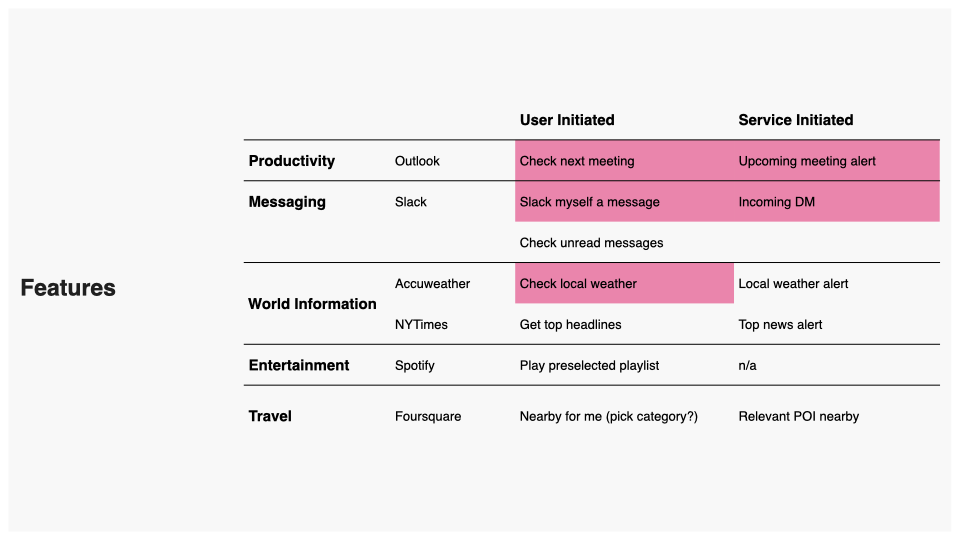
The design process leaned heavily on Wizard of Oz prototyping to move fast and learn faster. Using Keynote soundboards to simulate real-time experiences for research participants, the team tested information delivery from everyday services — Slack, Spotify, Microsoft Outlook, SMS, and more — through connected audio devices, without needing a line of engineering code. This approach kept the focus on what mattered: whether the experience resonated with real users in real moments.
From there, the team explored a range of gestural UI options, developing interaction patterns that felt natural and low-effort for a wearable context — including head nods and other human-based gestures that mirror the intuitive cues people already use in conversation.
Sound design was a first-class element of the work, developed in collaboration with Audio UX. The resulting tones are percussive, textural, bright, and brief — with the menu-opening interaction expressed as a four-note gesture that mirrors the feeling of a UI unfolding. User research and onboarding design rounded out the project, ensuring that a novel interaction paradigm could be understood and adopted with minimal friction.
The Mission


Our team leveraged Wizard of Oz experiments as often as possible to learn quickly via quick, hacky, prototypes, without the need for development resources. Often we would create soundboards in Keynote in which we could select and play for the research participant via their connected audio device, helping to simulate our desired experience and test them for resonance.
These initial prototypes were to see if real time acceptance and retrieval of information from some of our most uses applications would be valuable. Services we explored — Slack, Microsoft Outlook, Spotify, Foursquare, Accuweather, SMS, NYTimes.
Experimenting with UI Options


Head Nod (YES) and Head Shake (NO)
Audio Carousel with Nod to Select
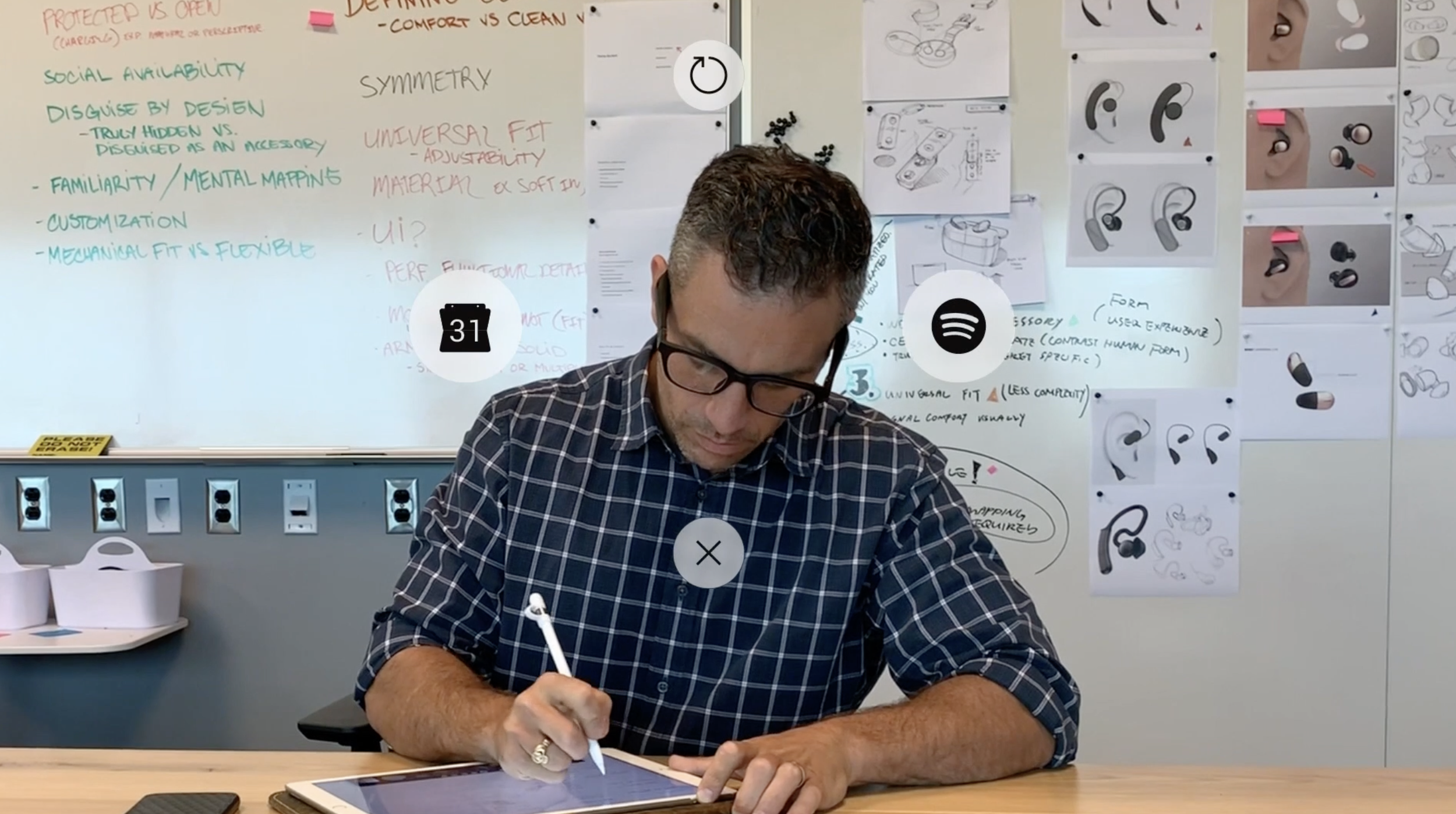
4-way Directional Audio and Gestural Menu
Concept Video
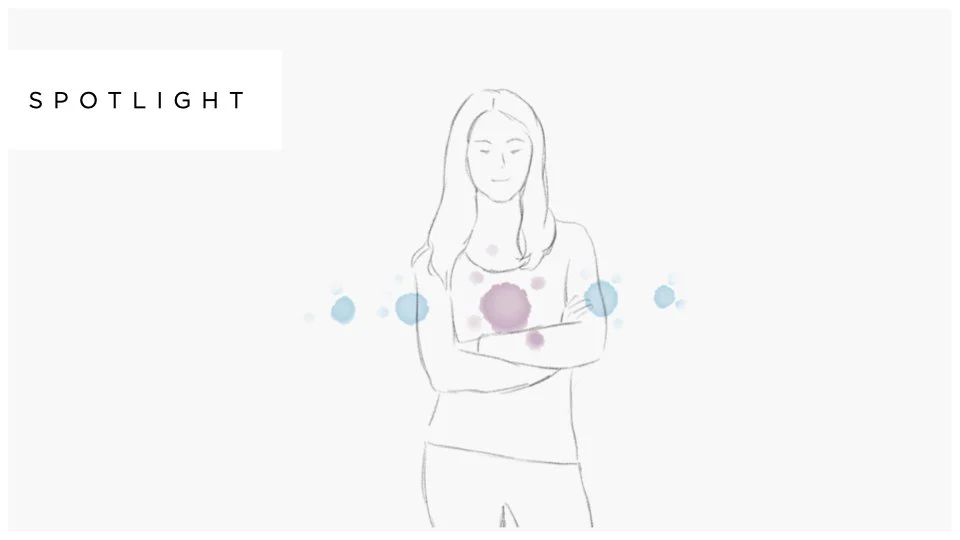
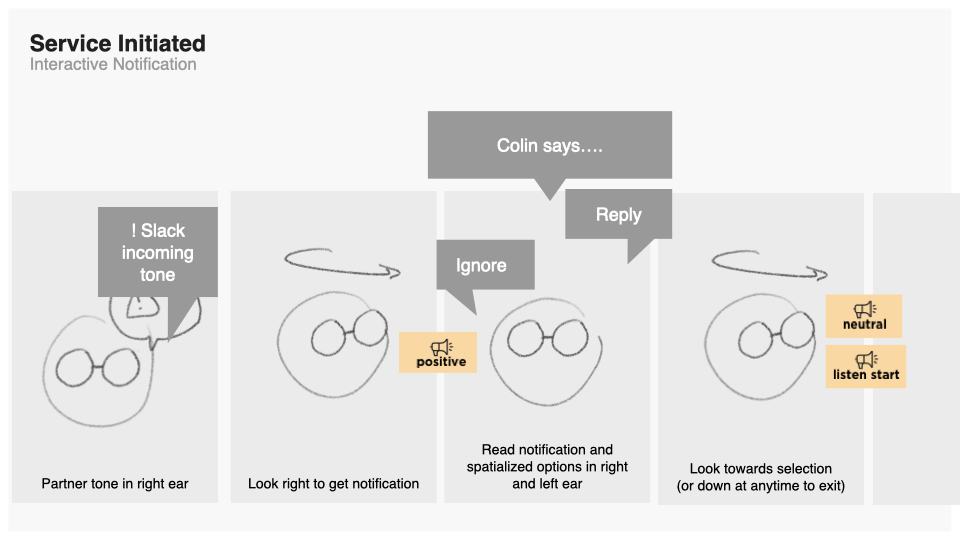
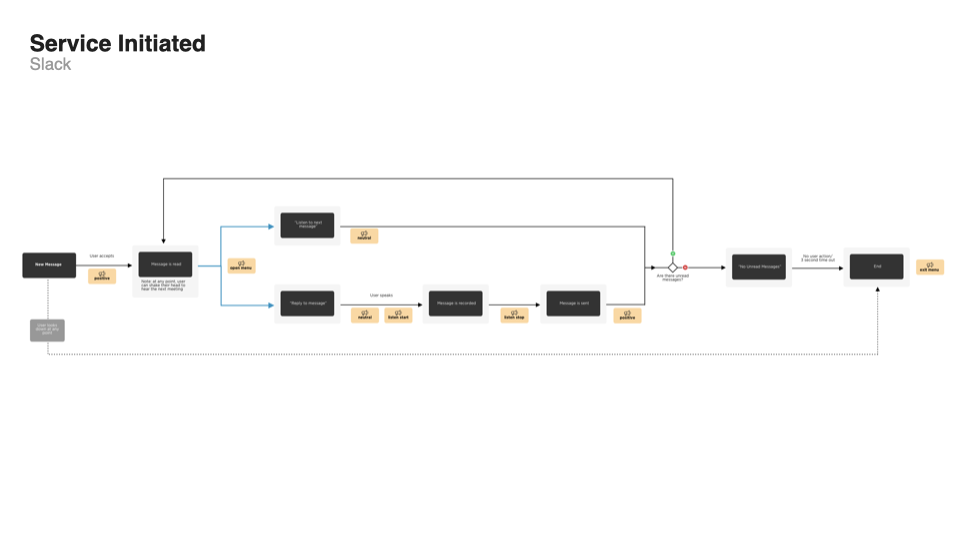
After evaluating our interactive prototypes, we saw potential in our 4-way directional audio and gestural menu. In order to help our internal partners and leadership understand our vision, we decided create a concept video. This video would illustrate the UI across some potential use cases.

The Storyboard
Deeper Investigation
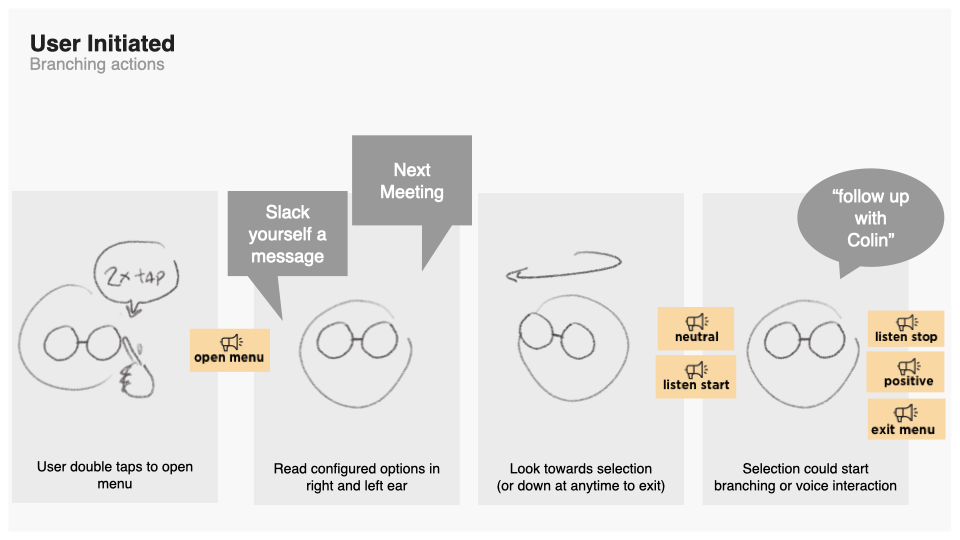
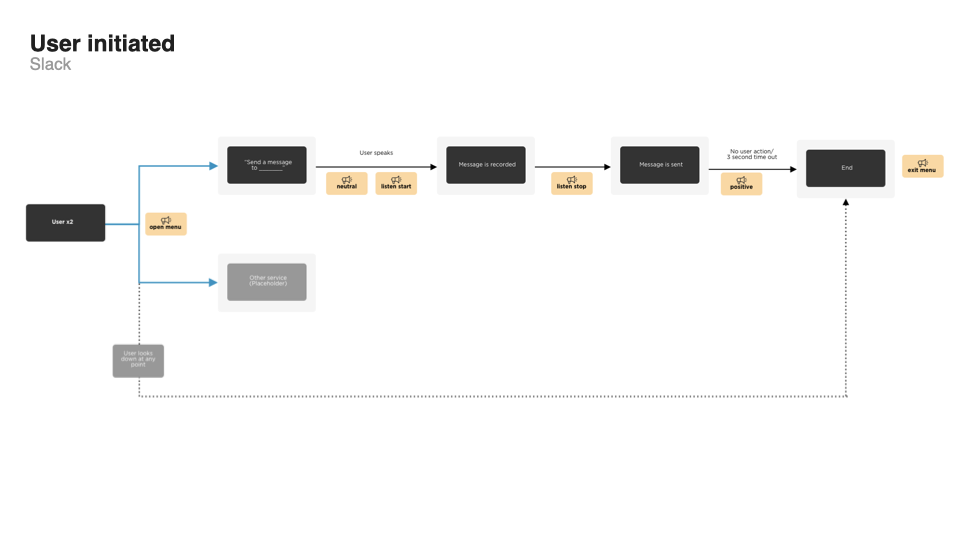
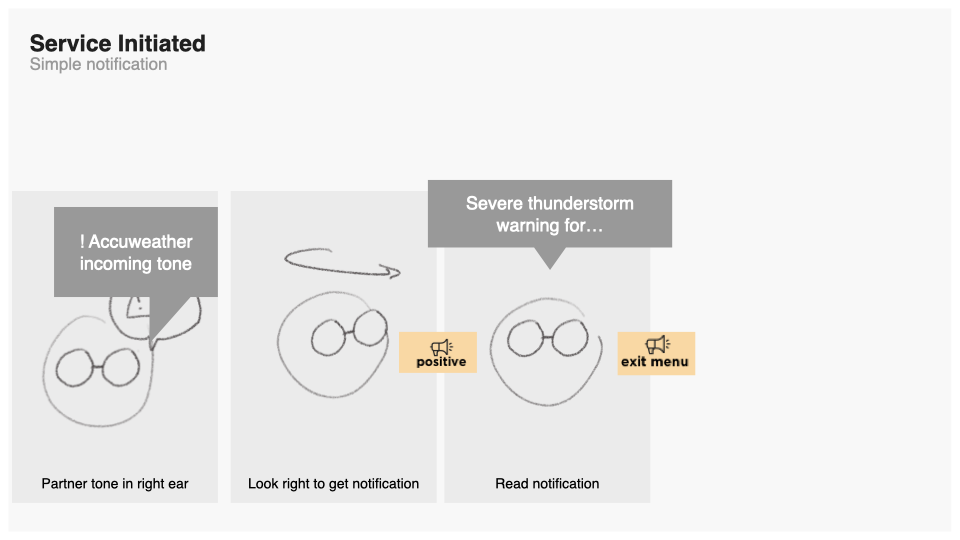
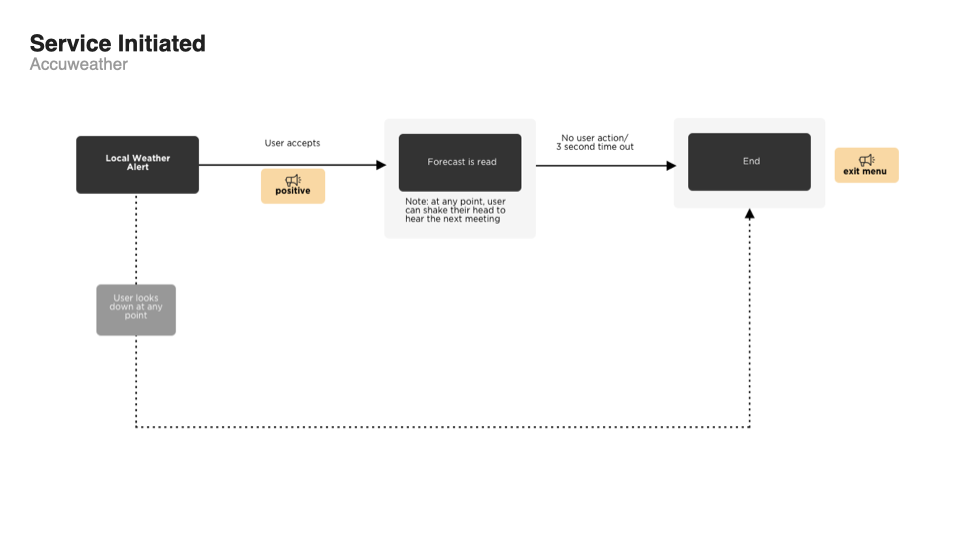
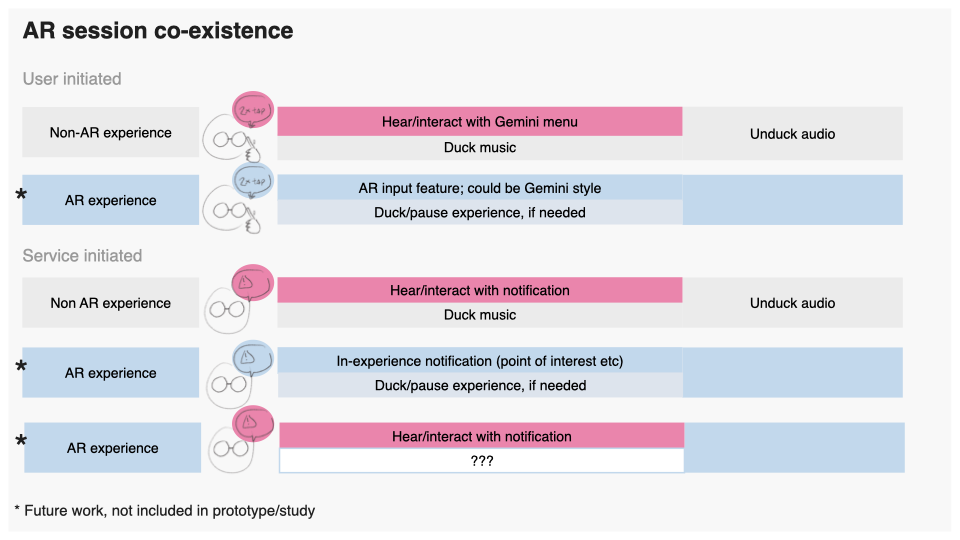
Once we had shared the video with our leadership, we were given the support to dive deeper into the details of this UI, and understand how we might be able to productize it.

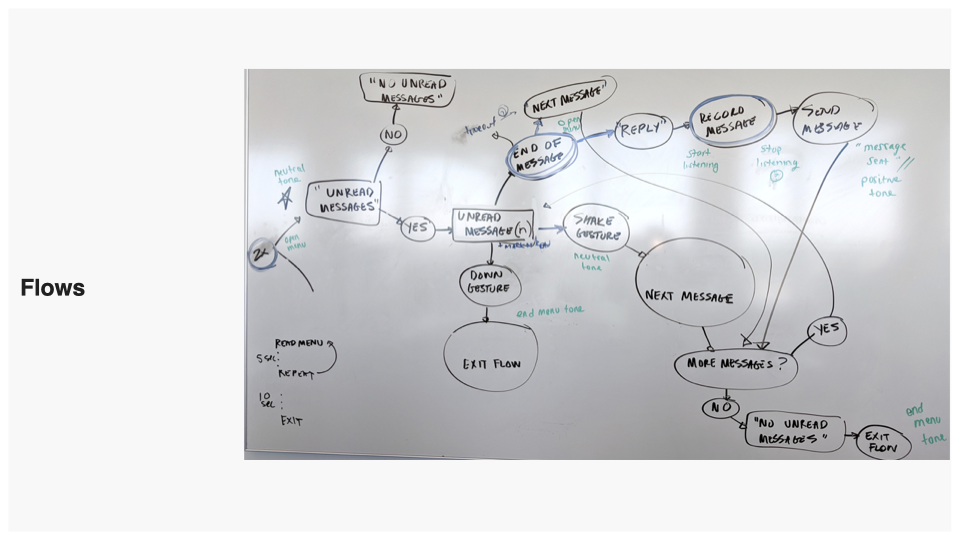
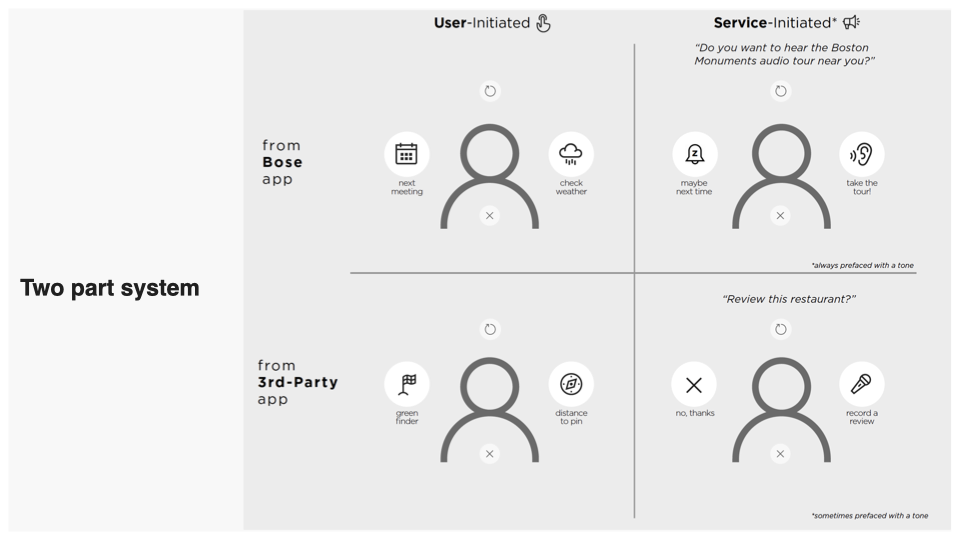
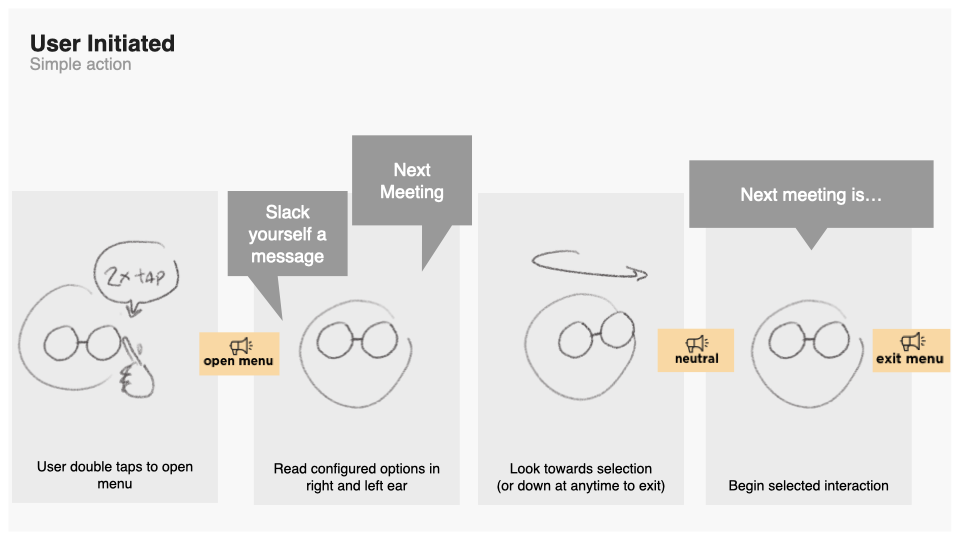
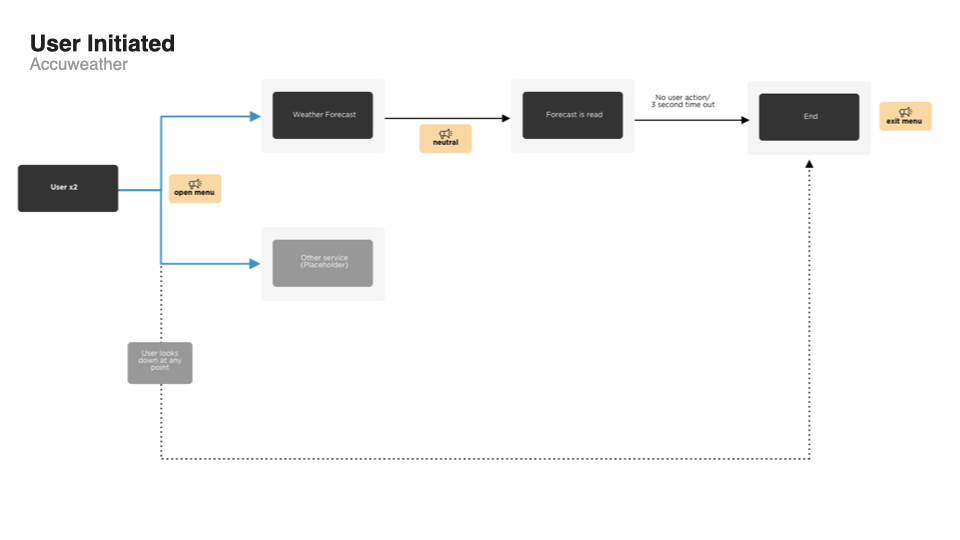
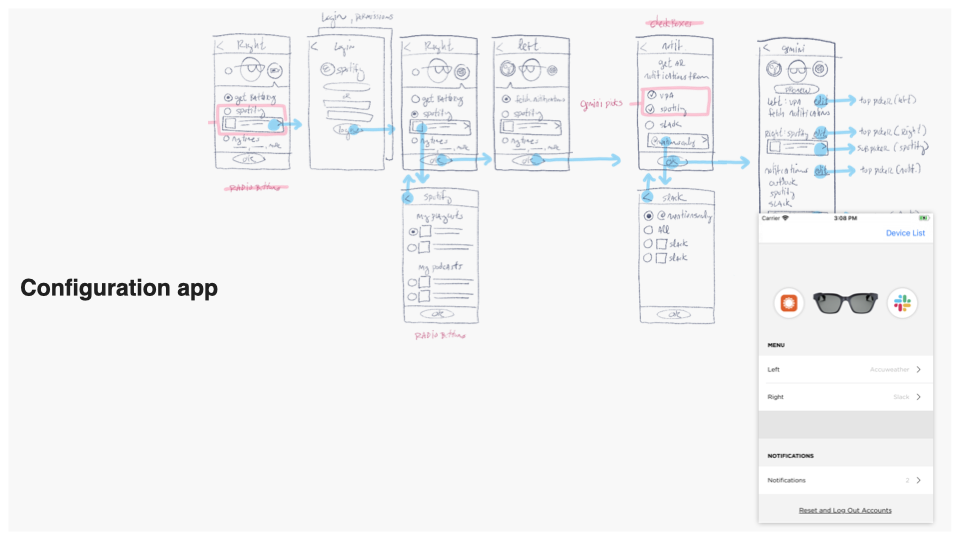
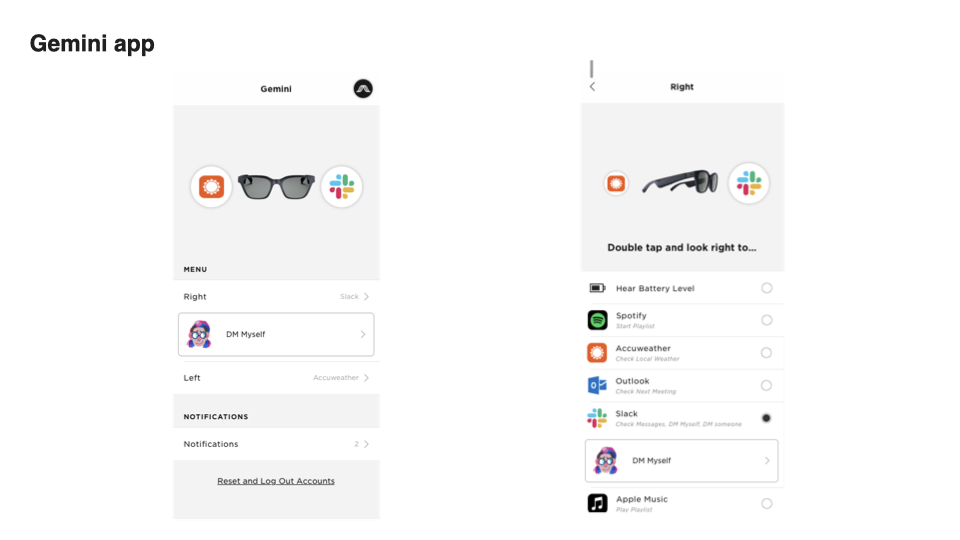
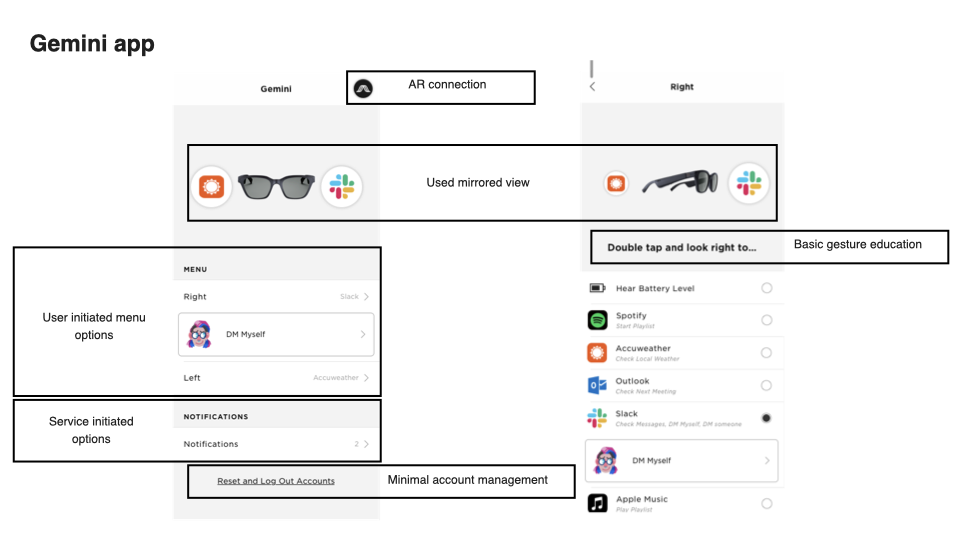
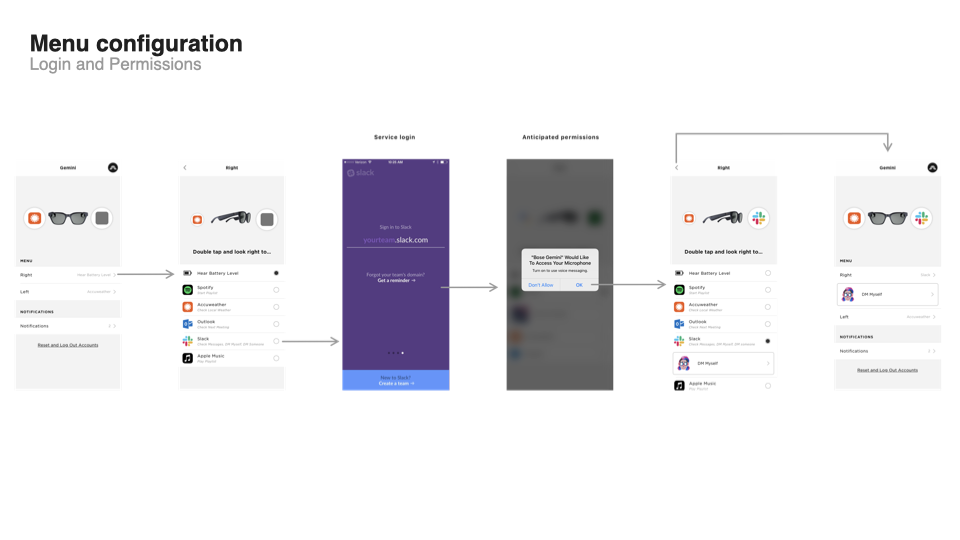
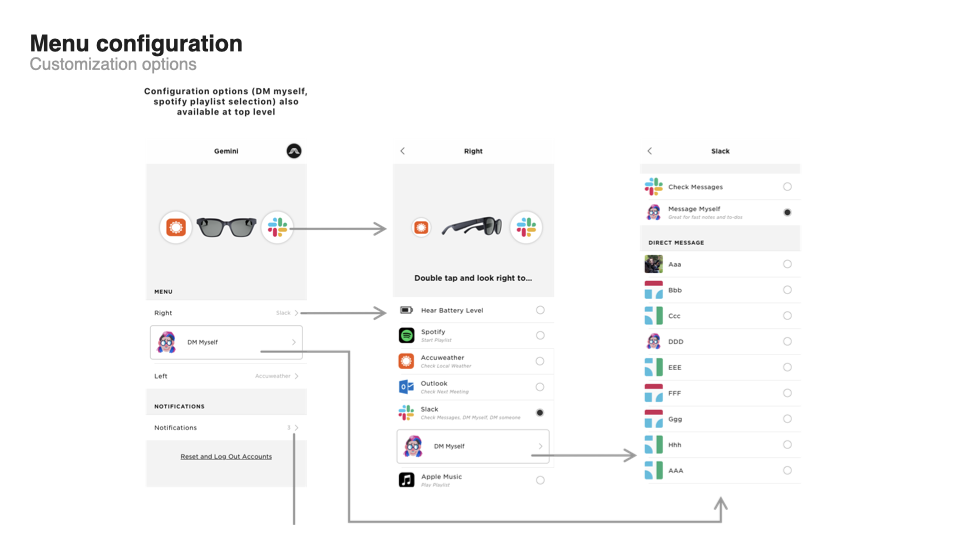
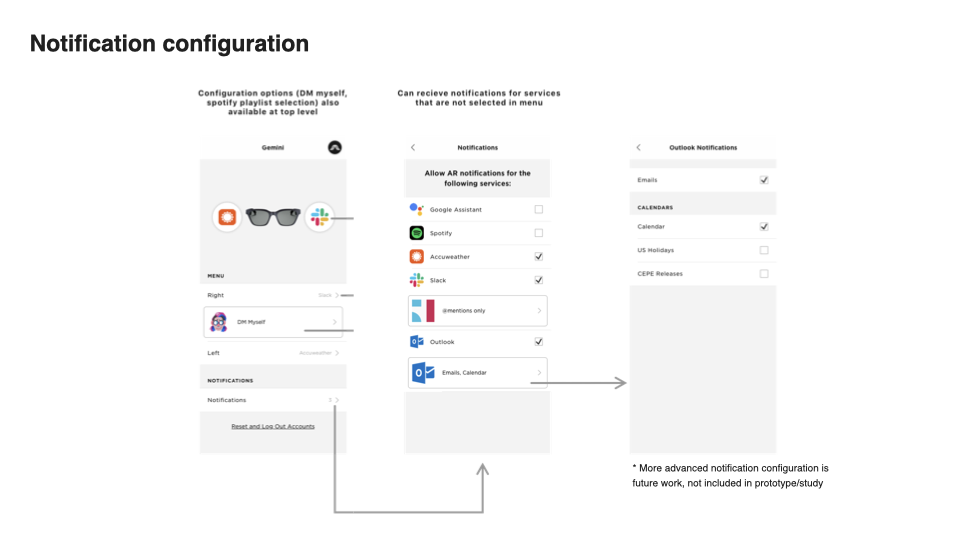
The Final Product
Sound Design
We got to work with our long time collaborators at Audio UX (https://auxnyc.com/). Together we landed on a set of tones that were percussive and textural. We focus on making sure they were bright, warm, simple, and brief. The opening of the menu is a 4 not gesture, representing the unpacking of the UI elements.
User Research
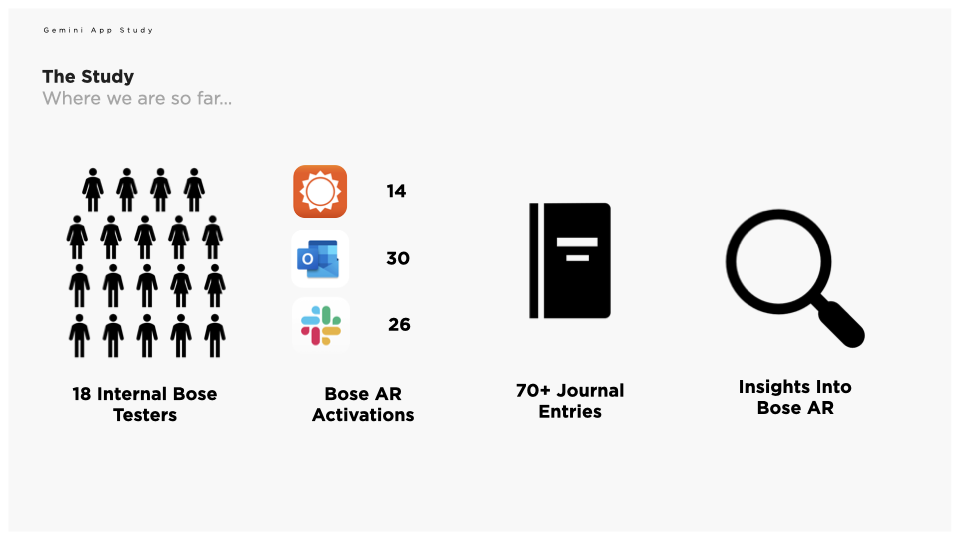
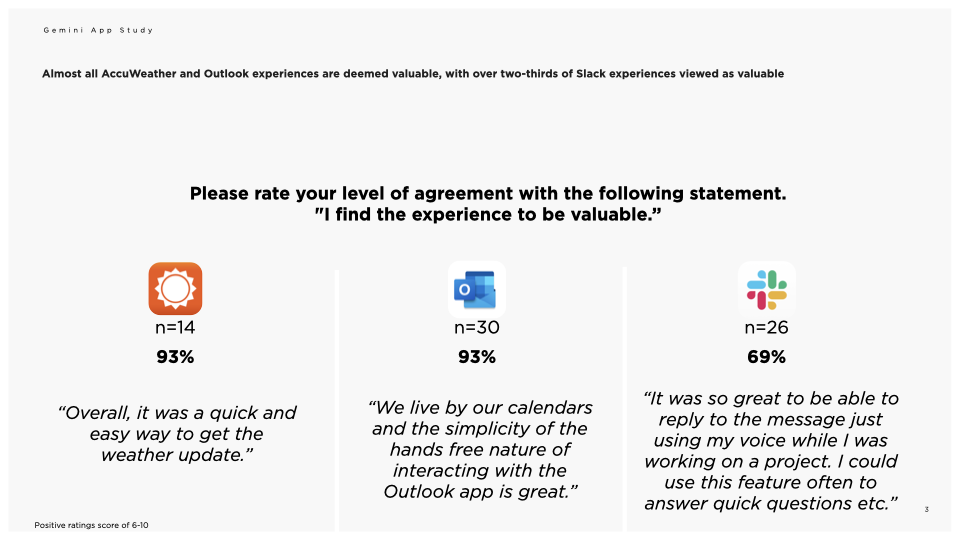
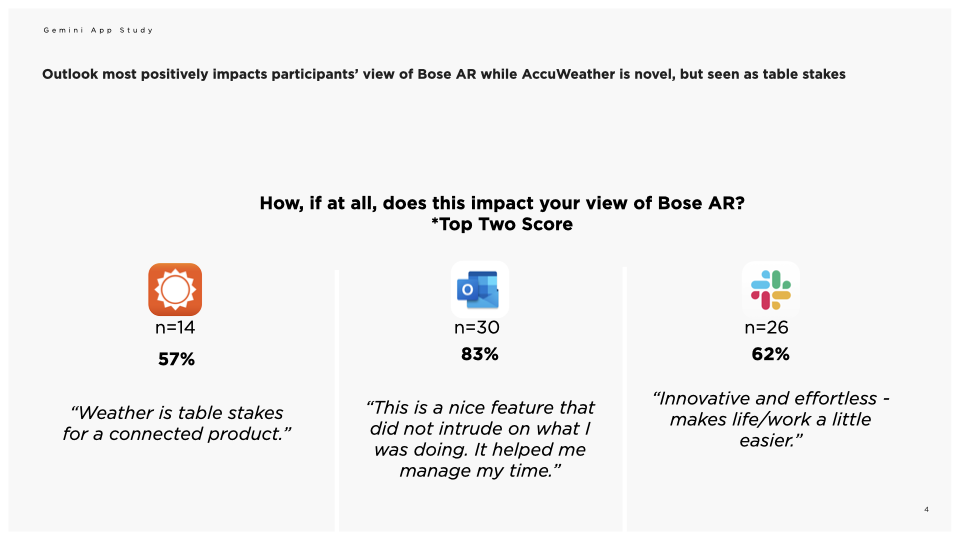
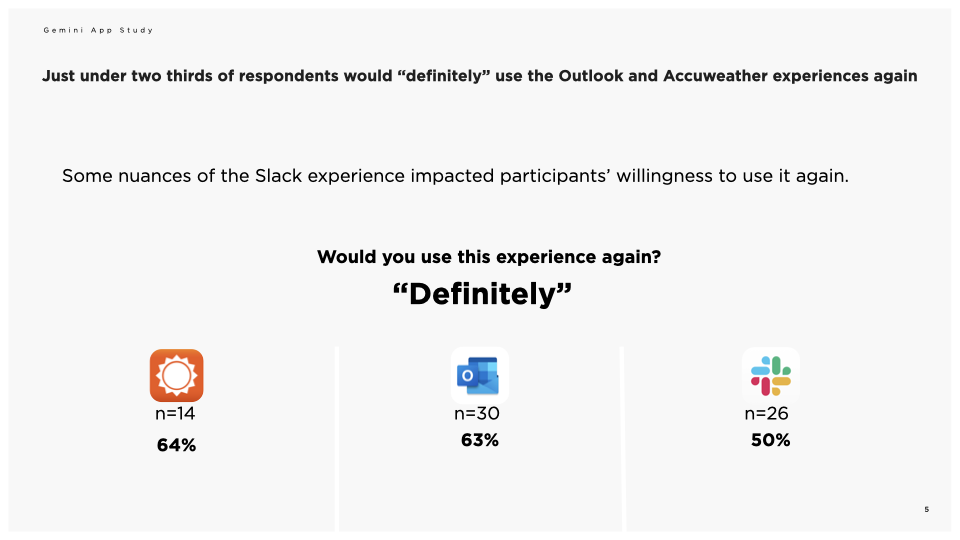
Once we had a functioning mobile app, and hardware running custom firmware, we ran a study where participants could use the UI and journal about their experience. Overall, the results were positive.
Onboarding Tutorial
In order to help users learn about the UI and become comfortable with it, a teammate and I collaborated on this tutorial video.
Patented
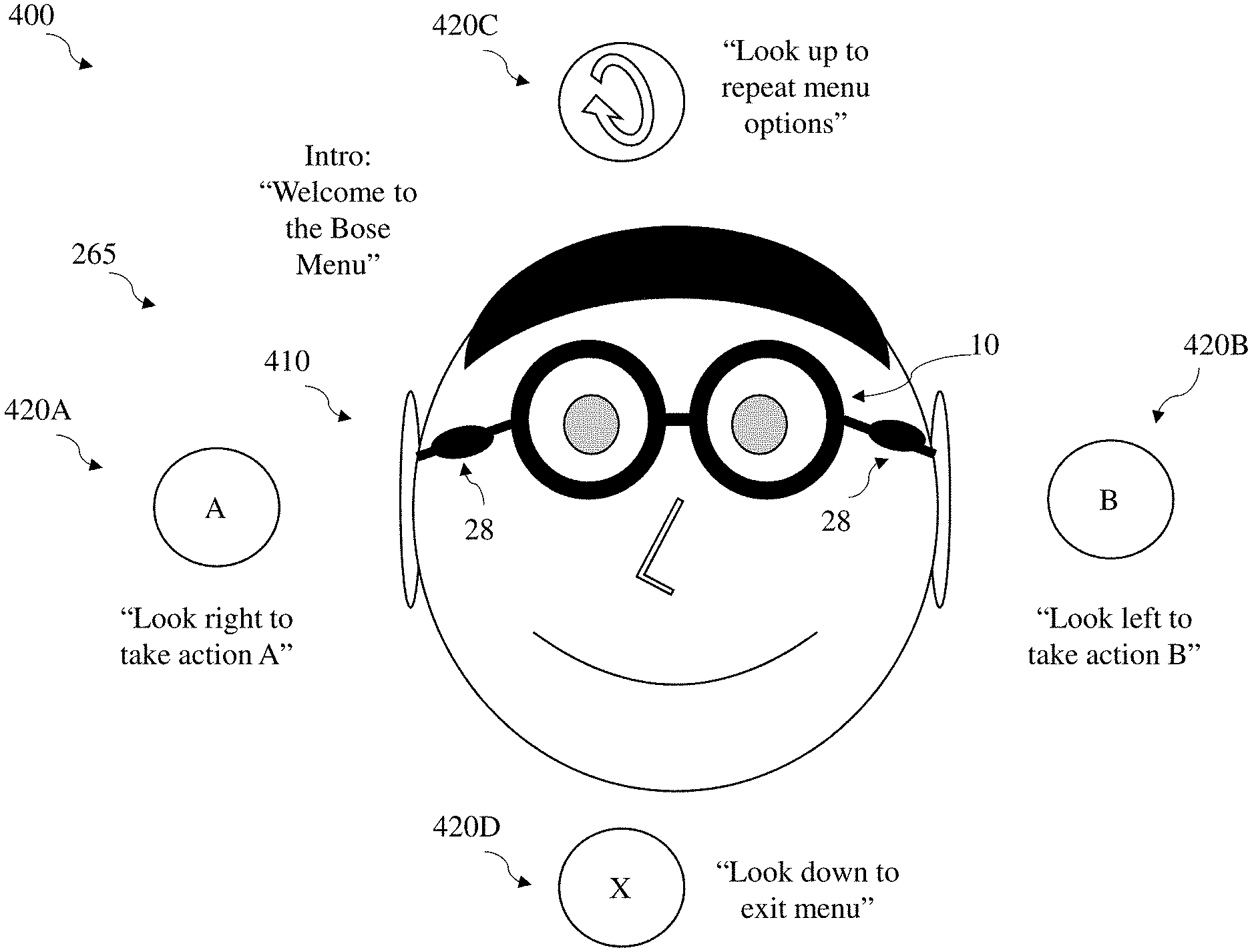
After the User Research study and presentation of all of our process and findings, we worked with in the interal team to apply for a utility patent for the UI. Ultimately we were granted that patent. (To this day I think the visual figures the lawyer created for the patent are amongst the G.O.A.T.’s.
(https://patents.google.com/patent/US11036464B2/fr)